sana44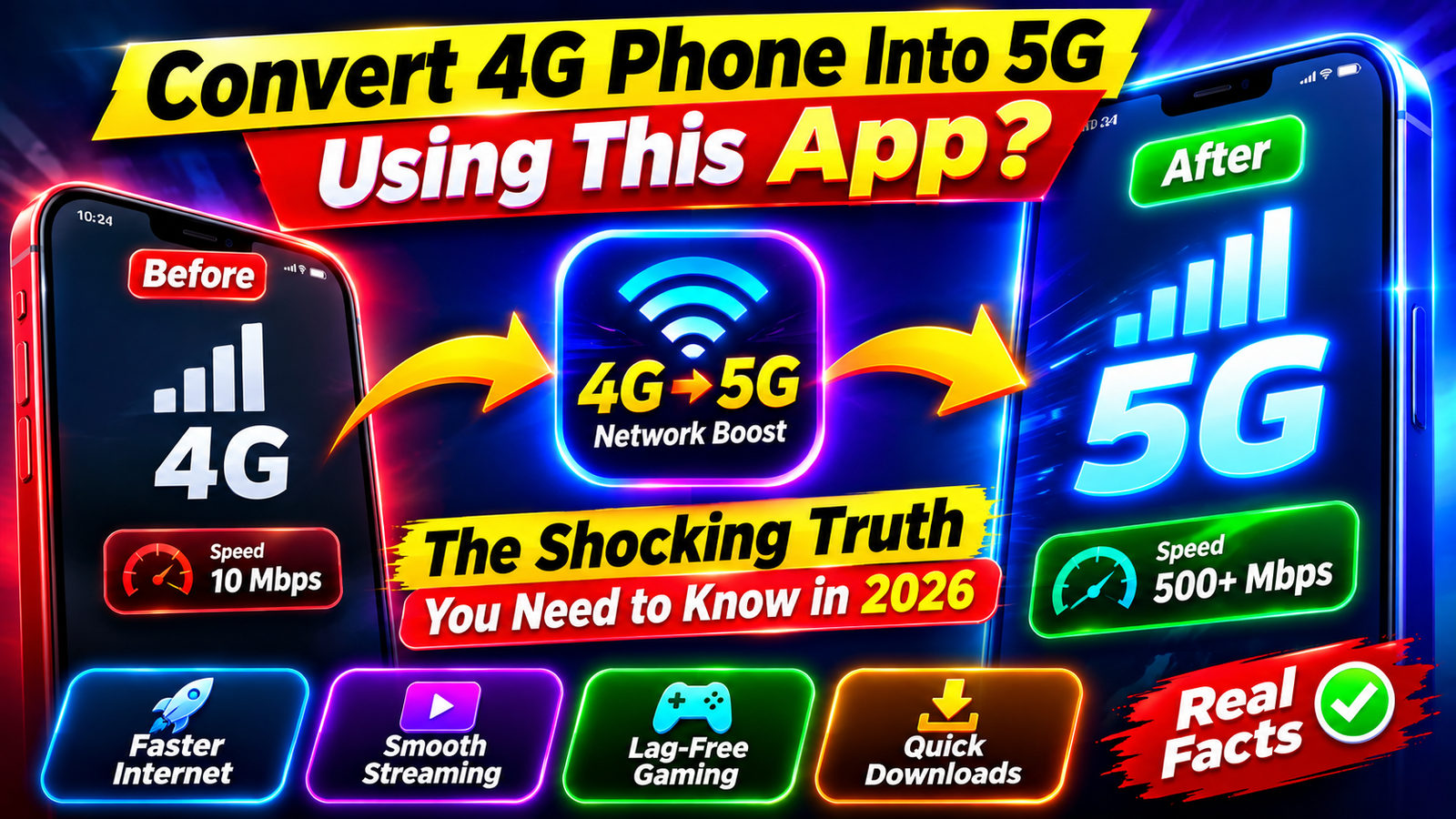
Convert 4G Phone Into 5G Using This App? The Shocking Truth
Have you seen an app claiming that you can convert a 4G phone into a 5G phone simply by installing an app It sounds amazing
A quick search for “convert 4G phone to 5G app” can bring up videos, APK files, websites, and social-media posts claiming that a software trick can unlock 5G on almost any smartphone.
But is it actually possible?
In most cases, no. An ordinary 4G smartphone cannot be turned into a true 5G phone simply by installing an app.
The reason is simple: 5G connectivity depends on compatible hardware, including the phone’s modem and radio-frequency components. An application can change software settings, but it cannot physically add a 5G modem to a device.
Let’s separate the real facts from the viral claims.
Can You Convert a 4G Phone to 5G With an App?
No, not in the normal sense.
A smartphone designed only for 4G generally doesn’t have the necessary 5G modem and radio hardware required to connect directly to a 5G cellular network.
An app cannot magically add:
- A 5G modem
- 5G radio-frequency components
- 5G antennas
- Required cellular bands
- Hardware-level 5G capabilities
Therefore, downloading a so-called “4G to 5G converter app” does not transform a genuine 4G-only phone into a 5G device.
Why Can’t an App Turn 4G Hardware Into 5G?
Think about your smartphone like a car.
Software is similar to the instructions controlling the car.
Hardware is the actual engine and mechanical components.
If your phone doesn’t have the hardware required for 5G, changing software settings can’t physically install those components.
A 5G smartphone needs compatible cellular hardware to communicate with a 5G network.
An application runs within the existing hardware.
It cannot add a new cellular modem.
What Does a 5G Modem Do?
A modem is one of the key components responsible for communication between your smartphone and a cellular network.
A 5G-compatible modem supports the technologies and frequency bands necessary for 5G connectivity.
A 4G-only phone may contain a modem designed for LTE/4G networks but not the required 5G functionality.
This is why simply changing a setting doesn’t create genuine 5G connectivity.
What About Apps Claiming to Convert 4G to 5G?
You may find apps with names such as:
- 4G to 5G Converter
- 5G Activator
- 5G Network Switch
- 5G Upgrade App
- 5G Unlocker
- 4G to 5G APK
Be careful.
Some applications may simply provide:
- Network information
- Phone diagnostics
- Shortcut settings
- Network-mode menus
- Speed tests
- Educational information
Others may make misleading claims about upgrading your phone.
An app that changes a preferred network setting isn’t necessarily adding 5G capability.
Can a 4G Phone Show a “5G” Icon After Using an App?
This can sometimes cause confusion.
An application or modified interface may potentially change what is displayed on the screen, but an icon does not prove that the phone is actually connected to a 5G network.
The important question is:
Does the phone’s cellular hardware actually support 5G?
If it doesn’t, a software-generated symbol cannot change the underlying hardware.
Can a Software Update Add 5G?
This depends on the phone.
If the Phone Already Has 5G Hardware
A software or firmware update may enable or improve 5G functionality in some circumstances.
For example, a manufacturer could release an update that:
- Adds support for additional network bands
- Improves network compatibility
- Fixes connectivity problems
- Enables a supported feature
In this case, the smartphone already contains the necessary hardware.
If the Phone Is 4G-Only
A normal software update cannot turn a genuinely 4G-only device into a fully 5G-capable smartphone.
The required physical components are still missing.
How to Check Whether Your Phone Supports 5G
Before downloading any “5G converter” application, check whether your phone already supports 5G.
Method 1: Check Your Phone’s Specifications
Search for your exact smartphone model on the manufacturer’s official website.
Look for:
Network → 5G
or specifications mentioning:
- 5G
- 5G NR
- Supported 5G bands
If the official specifications list only 2G/3G/4G/LTE and no 5G support, it is unlikely that the device supports 5G.
Method 2: Check Android Settings
On many Android phones, you can look under:
Settings → Mobile Network → Preferred Network Type
Depending on the manufacturer, you may see options such as:
- 5G/4G/3G/2G
- 5G preferred
- 4G/3G/2G
- LTE
The exact menu varies by manufacturer and Android version.
If your device doesn’t have 5G hardware, changing a hidden network setting won’t create genuine 5G connectivity.
Method 3: Check the Processor and Modem
The chipset used in your smartphone can provide another clue.
Many modern smartphone platforms have versions that include 5G-capable modems.
However, chipset naming can be confusing because different versions of similar processors may support different network capabilities.
For accurate information, check your exact phone model and regional variant.
What About Jio 5G, Airtel 5G and Vi?
Indian users frequently search for:
- Jio 5G on 4G phone
- Airtel 5G on 4G mobile
- Vi 5G on 4G phone
- How to activate 5G
- 5G activation app
The basic principle remains the same.
Your phone must have compatible 5G hardware and supported network bands.
A 4G-only handset cannot gain genuine 5G cellular capability merely because a particular SIM card or application is used.
Does a 5G SIM Convert a 4G Phone Into 5G?
No.
A SIM identifies and authenticates your connection to the mobile network, but it doesn’t add 5G hardware to your smartphone.
A compatible 5G phone, supported network, and appropriate service are required for 5G connectivity.
Having a SIM that can access a 5G service does not automatically make a 4G-only smartphone 5G-compatible.
What If My Phone Supports 5G but Only Shows 4G?
This is different from having a 4G-only phone.
If your smartphone is officially 5G-capable but remains on 4G, several factors could be involved.
Check:
1. 5G Coverage
5G availability varies by location.
2. Network Settings
Make sure a suitable 5G network mode is selected.
3. Software Updates
Install official updates available for your device.
4. SIM and Account Eligibility
Check your carrier’s current requirements.
5. Supported 5G Bands
Your phone needs to support the relevant bands used by the network in your area.
6. Battery or Data Settings
Some devices have settings that influence network behavior.
Can a 4G Phone Get Faster Internet Through an App?
An app cannot turn an LTE modem into a genuine 5G modem.
However, some apps can help diagnose or improve your existing network experience by:
- Testing connection speed
- Showing signal information
- Identifying network type
- Helping troubleshoot connectivity
- Monitoring data usage
These tools can be useful, but they don’t upgrade cellular hardware.
Beware of “4G to 5G Converter APK” Files
This is particularly important for Android users.
If an unknown website tells you:
“Download this APK and turn your 4G phone into 5G instantly.”
don’t assume the claim is legitimate.
Unknown APK files can potentially contain unwanted or malicious software.
Risks may include:
- Malware
- Adware
- Data theft
- Account compromise
- Unwanted permissions
- Fraudulent subscriptions
- Privacy problems
Download applications from trusted sources and check the developer and permissions before installing anything.
Can Rooting a Phone Enable 5G?
Root access can provide additional control over Android software, but it cannot create physical 5G hardware.
If the device doesn’t have a 5G modem and required RF components, rooting cannot manufacture them.
On a phone that already supports 5G, advanced modifications may affect network configuration, but they should only be attempted by experienced users because they can create stability or security problems.
What Is the Real Way to Upgrade From 4G to 5G?
If your current phone is genuinely 4G-only and you want to use 5G cellular networks, the practical solution is:
Buy a 5G-Compatible Smartphone
Before purchasing, check:
- Exact model
- 5G support
- Supported bands
- Processor/modem
- Software support
- Network compatibility
- Warranty
- Regional variant
You don’t necessarily need an expensive flagship.
There are many affordable 5G smartphones available in the Indian market.
How to Choose a 5G Phone in India
If you’re shopping for a 5G smartphone, don’t look only at the words “5G Supported.”
Check the complete specifications.
Important Features
5G Band Support
More supported bands can provide better compatibility with different networks, depending on your region.
Processor
A modern chipset can provide better overall performance and efficiency.
Battery
5G usage can affect power consumption, so battery capacity and efficiency matter.
Display
Look for a display that matches your usage and budget.
Software Updates
Long-term software support can increase the useful life of the phone.
Price
Compare the complete package instead of choosing solely based on the cheapest price.
Common Myths About Converting 4G to 5G
Myth 1: A 5G App Can Add 5G
False.
An application cannot physically add a 5G modem.
Myth 2: Changing APN Settings Creates 5G
False.
APN settings can configure network access, but they don’t upgrade cellular hardware.
Myth 3: A 5G SIM Makes Every Phone 5G
False.
The phone itself must support 5G.
Myth 4: Rooting Automatically Unlocks 5G
False.
Root access doesn’t create missing hardware.
Myth 5: A Fake 5G Icon Means 5G Is Working
False.
The displayed icon alone isn’t proof of a genuine 5G connection.
How to Improve Internet Speed on a 4G Phone
If you’re keeping your 4G smartphone, you can still improve your mobile internet experience.
Try:
- Moving to an area with stronger signal
- Restarting your phone
- Updating the operating system
- Checking your data plan
- Closing bandwidth-heavy background apps
- Resetting network settings when appropriate
- Testing your connection at different locations
- Checking for network outages
Also remember that a faster network isn’t always necessary for every task.
For messaging, browsing, music streaming, and many everyday activities, a good 4G connection can still be perfectly usable.
Frequently Asked Questions
Can I convert my 4G phone to 5G using an app?
No. A genuine 4G-only smartphone cannot normally be converted into a true 5G device using an app because 5G requires compatible cellular hardware.
Is there a 4G to 5G converter app?
There are apps that claim to convert 4G to 5G, but an app cannot add a missing 5G modem or radio hardware. Some may simply provide network information or change software settings.
Can a 4G phone use Jio 5G?
A 4G-only phone cannot connect to Jio’s 5G network as a true 5G device. You need a compatible 5G smartphone and appropriate network/service support.
Can I use Airtel 5G on a 4G phone?
If the phone is genuinely 4G-only, it cannot connect to Airtel’s 5G network using an app. A 5G-capable handset is required for 5G connectivity.
Can a software update turn a 4G phone into 5G?
Generally, no. A software update can enable or improve 5G on hardware that already supports it, but it cannot add a missing 5G modem to a 4G-only phone.
Does changing APN from 4G to 5G work?
No. APN settings control how the device accesses network services; they do not add 5G hardware.
Can rooting a 4G phone make it 5G?
No. Rooting changes software privileges and doesn’t physically add a 5G modem or antenna system.
How do I check whether my phone supports 5G?
Check your exact model’s official specifications and look for 5G/5G NR support and supported bands. You can also check the mobile-network settings on the device.
Final Verdict: Can You Really Convert a 4G Phone Into 5G?
The viral claim that you can convert a 4G phone into 5G using an app is misleading.
An app can modify certain software settings or display network information, but it cannot physically install the components required for 5G cellular communication.
If your phone already has 5G hardware, an official software update or correct network configuration may help you access supported 5G functionality.
But if your smartphone is genuinely 4G-only, the reliable way to use 5G is to move to a 5G-compatible device.
So before downloading a suspicious “4G to 5G converter APK,” check your phone’s official specifications first.
Don’t trust an app just because it shows a 5G icon. Check the hardware. That’s the real test.
SEO Keyword Strategy for India
Primary Keyword
convert 4G phone to 5G
Secondary Keywords
- convert 4G mobile to 5G
- 4G to 5G app
- 4G phone 5G upgrade
- how to make 4G phone 5G
- 4G to 5G converter app
- 5G activation app
- 5G upgrade app
- 4G phone 5G trick
- 4G to 5G APK
- 5G phone India
- 5G network India
- Jio 5G on 4G phone
- Airtel 5G on 4G phone
- Vi 5G on 4G phone
- how to activate 5G
- 5G supported phones India
- how to check 5G support
- 5G mobile under budget India
Long-Tail Keywords
- can I convert my 4G phone to 5G using an app
- how to convert 4G phone to 5G without changing phone
- is 4G to 5G converter app real
- can software update convert 4G phone to 5G
- how to use 5G on 4G phone in India
- can Jio 5G work on 4G mobile
- can Airtel 5G work on 4G phone
- how to check if my phone supports 5G
Suggested Image ALT Text
Featured Image:
Can a 4G phone be converted to 5G using an app? 5G technology explained
Supporting Image:
Difference between 4G and 5G smartphone hardware in India
Infographic:
Why a 4G phone cannot be converted to 5G with an app
Suggested Internal Links
For a stronger India-focused technology SEO cluster, link to related articles such as:
- Best 5G Phones Under ₹15,000 in India
- How to Check if Your Phone Supports 5G
- Jio 5G: Complete Guide for Indian Users
- Airtel 5G: Coverage and Compatibility Guide
- Best Android Phones in India
- How to Increase Internet Speed on Android
- Best Mobile Recharge Offers in India
SEO Tags
Convert 4G to 5G, 4G to 5G App, 4G Phone to 5G, 5G Phone India, 5G Android, Jio 5G, Airtel 5G, Vi 5G, 5G Network India, Android Tips, Mobile Tips, Smartphone Tips, 5G Upgrade, Technology India